Know where your money goes.
Track spending in seconds, split bills with friends, and see what's left each month. No sign-up. Your data stays on your phone.
- No account needed
- Works offline
- Rupees, dollars and more
Why FinTrack
Money tracking that doesn't feel like homework
Built around three moments: paying for something, checking how the month is going, and settling up with friends.
Add it in seconds
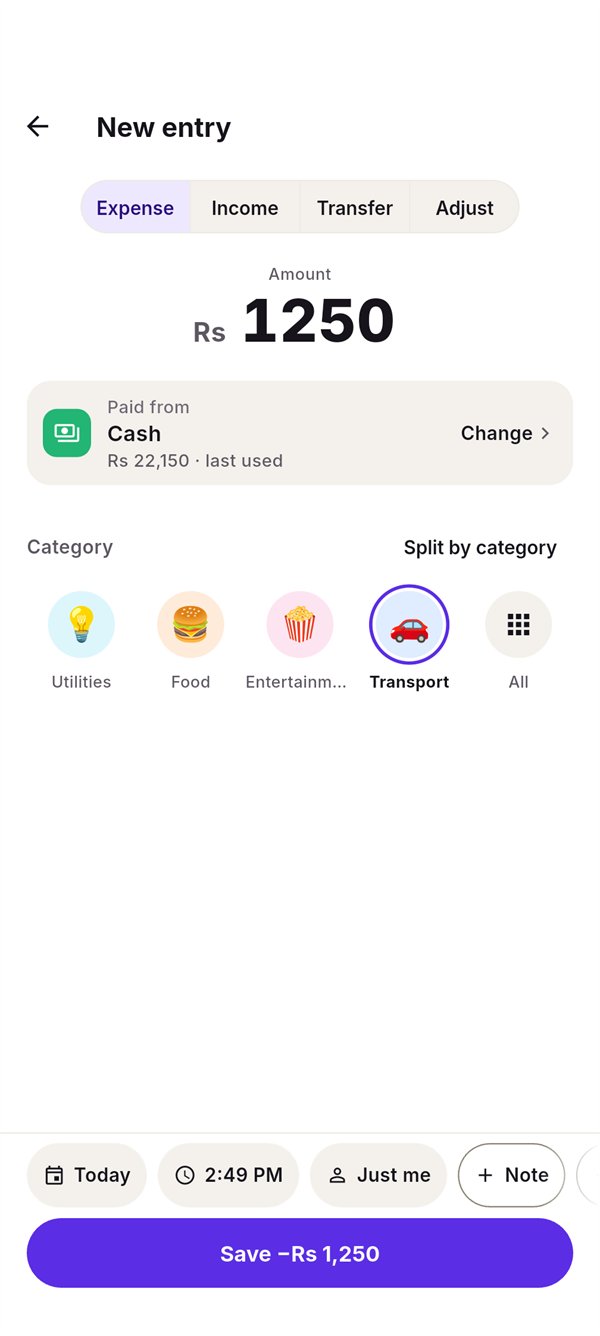
Type the amount, tap a category, save. Notes, the date and tax or tip are right above the keyboard.
Know what's left
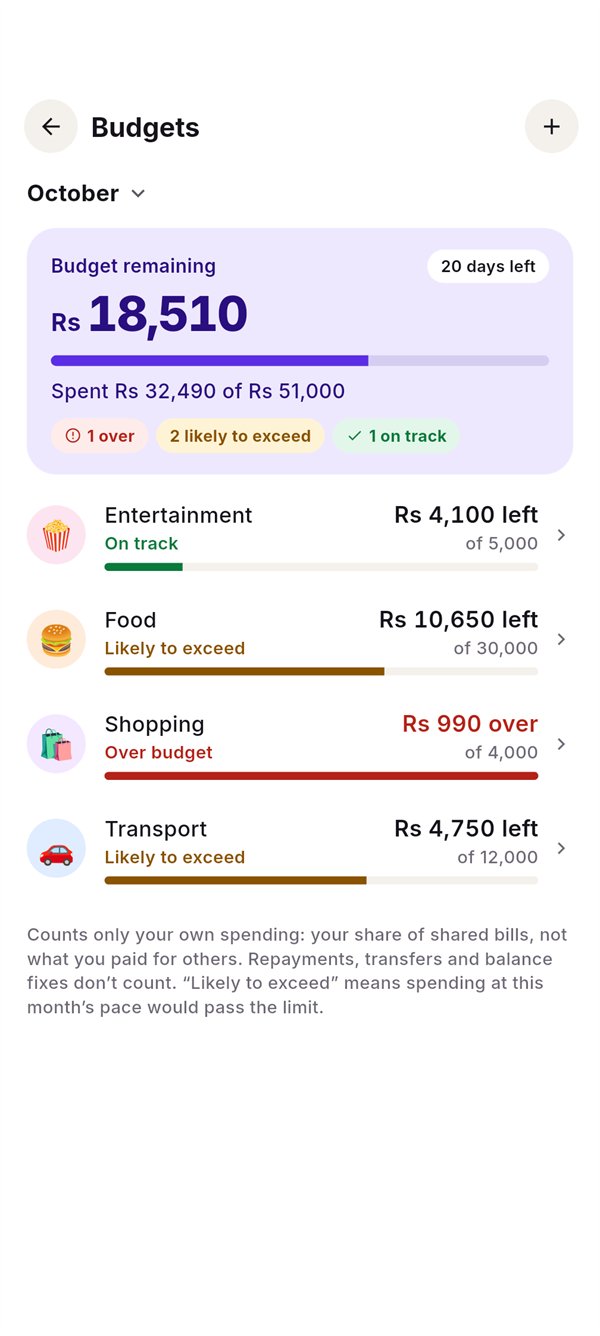
Budgets that warn you early: "likely to exceed" shows up while there's still time to slow down.
Split without the spreadsheet
Flatmates, trips, dinners. Friends don't need the app; FinTrack works out who owes whom.
Add an expense
Amount. Category. Done.
The fastest way to stay on top of spending is to make logging it effortless.
- Your usual categories, one tap away. The ones you used last come first.
- One receipt, several categories. Split a supermarket run into food and household.
- Tax, tip and discount explained. They break down what you paid; they never change it.
- Undo for five seconds. Mistakes cost one tap.
Budgets
Budgets that tell you the truth
Not just "on track". FinTrack looks at how fast you're spending and tells you early.
- Monthly limits per category, copied from last month in one tap.
- Only your share counts. Paying the whole dinner bill doesn't blow your food budget.
Shared expenses
Split bills with anyone
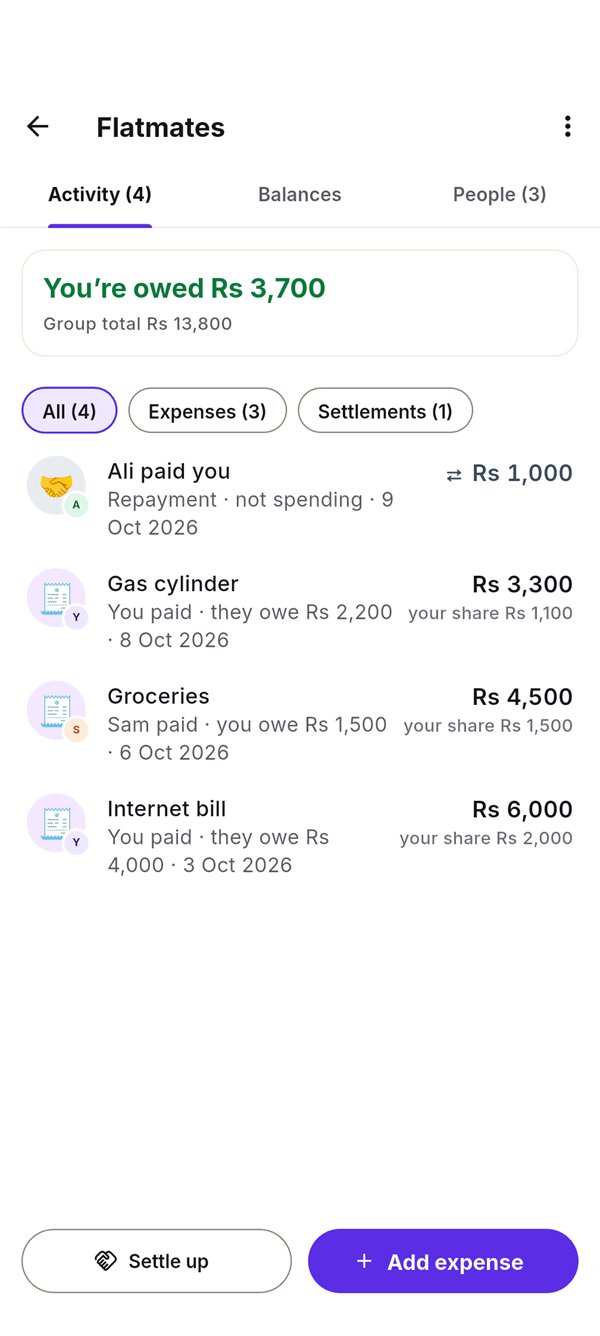
Add your flatmates or travel buddies by name. They don't need to install anything.
- Equally, by amounts, by % or by shares, down to the last paisa.
- Who owes whom, in plain words. "Sam paid · you owe Rs 1,500".
- Settle up into the right account, including part payments.
Reports
One clear answer at a time
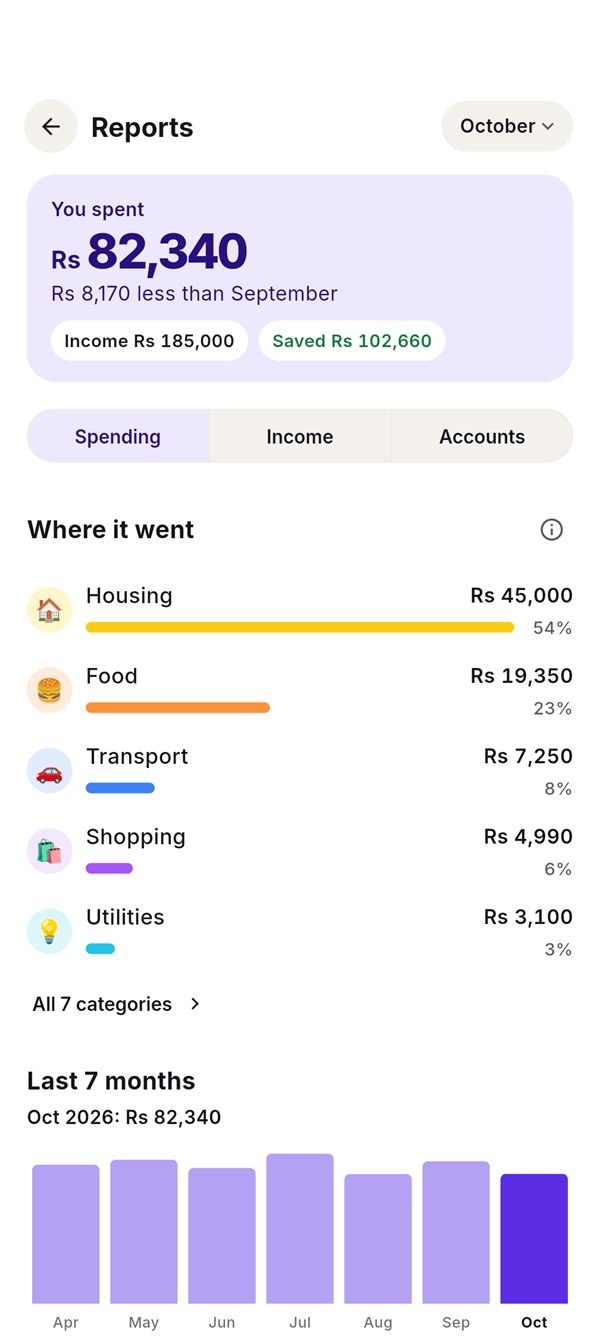
What you spent, what came in, what you saved. Then where it went, and how this month compares.
- Spending, Income and Accounts tabs, so nothing is thrown at you at once.
- Transfers and repayments never count as spending, so the numbers stay honest.
Recurring payments
Rent, bills and subscriptions, remembered
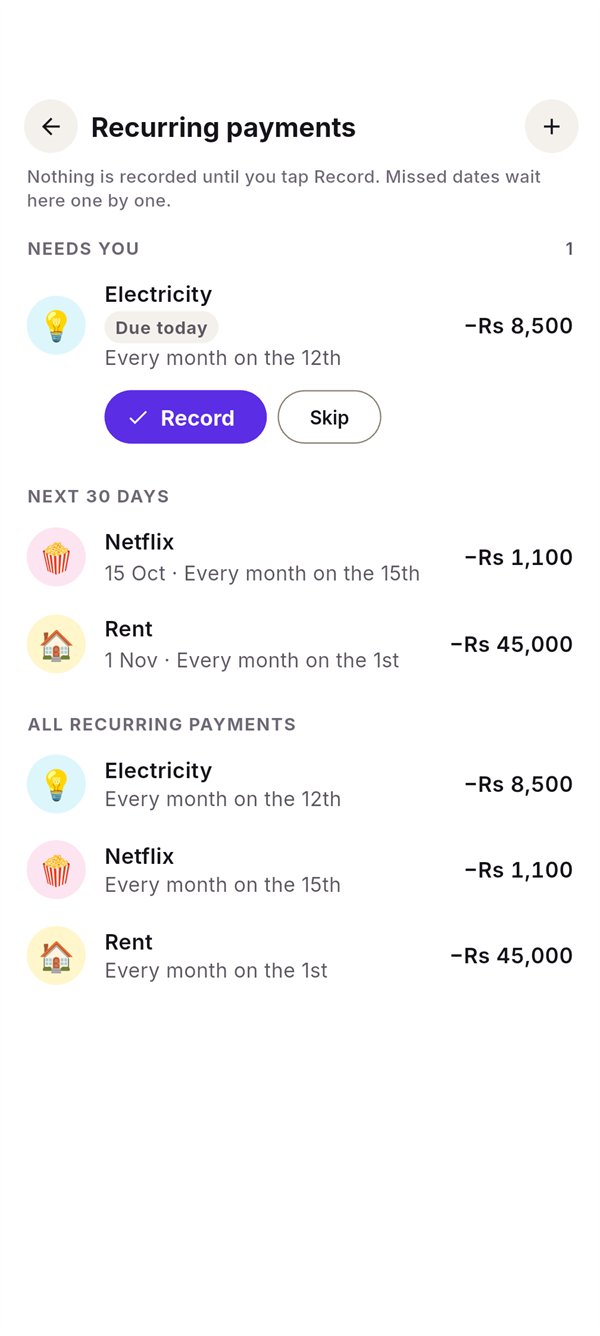
FinTrack reminds you when they're due. Nothing is recorded until you confirm, so a bill that changed this month is easy to fix.
- Monthly, weekly, yearly or once. The 31st becomes the last day of shorter months.
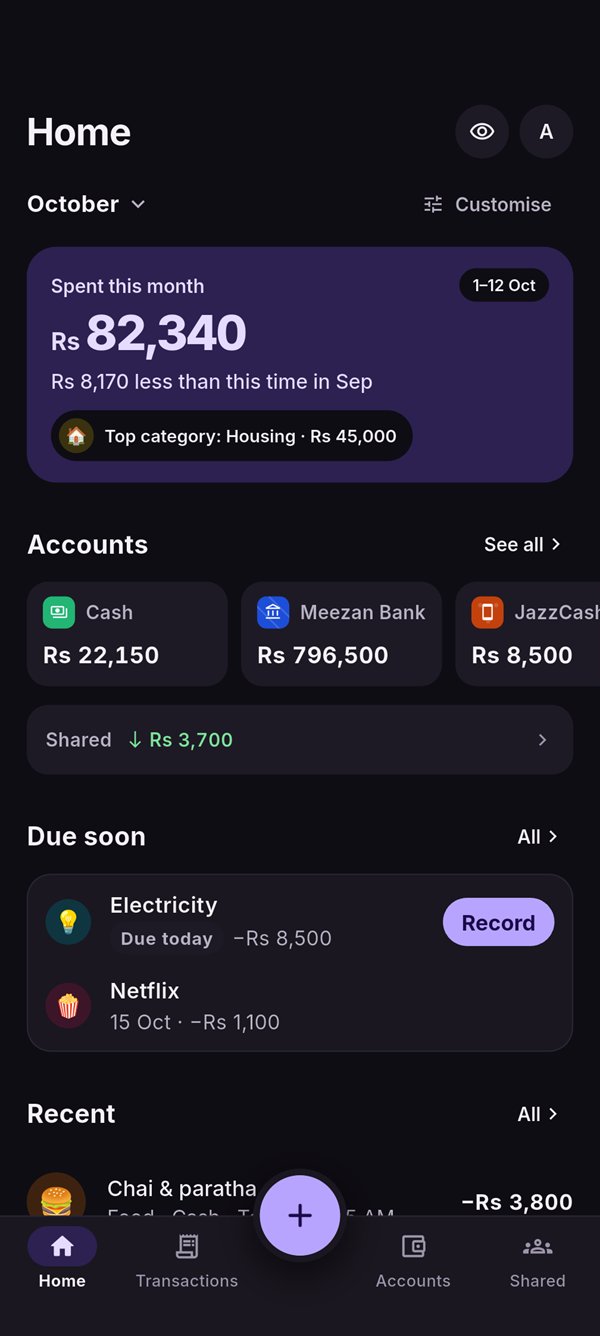
- Due soon on Home, with Record in one tap.
And the details
Everything a real month needs
Many currencies
Accounts in rupees, dollars or euros, with daily exchange rates or your own.
Cash, bank, wallets, cards
JazzCash, Easypaisa, bank accounts and credit cards, each with its own colour.
Backup in one file
Export everything as JSON and restore it on a new phone. Import never overwrites.
Hide balances
One tap masks every amount when someone's looking over your shoulder.
Your Home, your way
Show, hide and reorder sections. Lead with spending, budget or balances.
Light and dark
Follows your phone, or pick one. Both are designed, not inverted.
Privacy
Your money stays on your phone
FinTrack is local-first. There's no account to create and no server holding your finances.
- No sign-up, no email. Open it and start tracking.
- Works fully offline. The internet is only used for exchange rates, and only currency codes and dates are sent.
- Anonymous usage is off by default. If you turn it on, it never includes amounts, names, notes or categories.
Dark mode
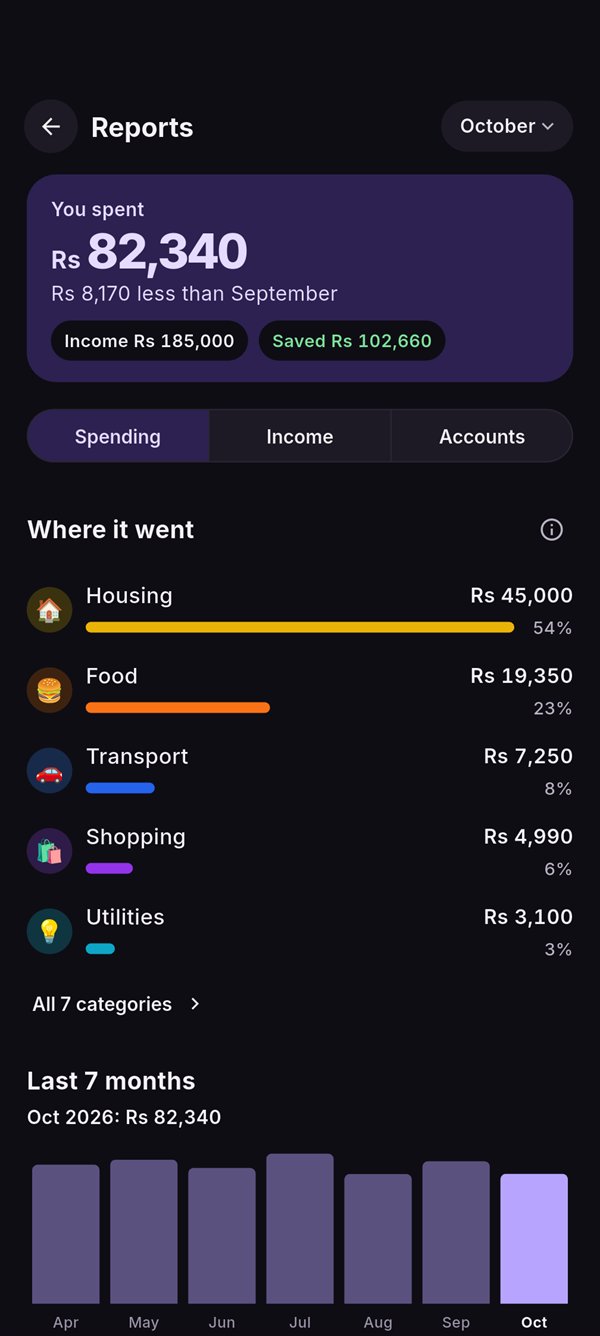
Easy on the eyes at midnight
The same calm design, tuned for the dark.
FAQ
Questions, answered
Do I need to create an account?
No. FinTrack works without sign-up or email. Your records live in a database on your phone.
Does it work without internet?
Yes, everything works offline. When you're online, FinTrack fetches daily exchange rates for accounts in other currencies. Only currency codes and dates are sent, never your amounts.
Do my friends need the app to split bills?
No. Add people by name and FinTrack keeps track of who paid and who owes whom. You record repayments when they happen.
Can I move my data to a new phone?
Yes. Settings › Backup & restore exports everything as one JSON file. Importing it on another phone adds your data and never overwrites what's already there.
Which currencies are supported?
Pakistani rupee by default, plus US dollars, euros, pounds, dirhams, riyals and many more. Each account has its own currency.
Is there an iPhone version?
FinTrack is Android-first. An iPhone version is planned.
Start knowing where your money goes
FinTrack is in beta on Android and coming to Google Play. Ask for early access and you'll get the beta first.
Opens your email app. We'll only use your address to send the beta.